Shortfalls
A shortfall is when a store receives less than what its parent store approved and released for an order — stock lost, damaged, or missing in transit. Instead of the order just completing, the difference is held for the parent store to resolve.
This is a branch of the ordinary order flow, so read that page first.
Raising a shortfall (receiving store)
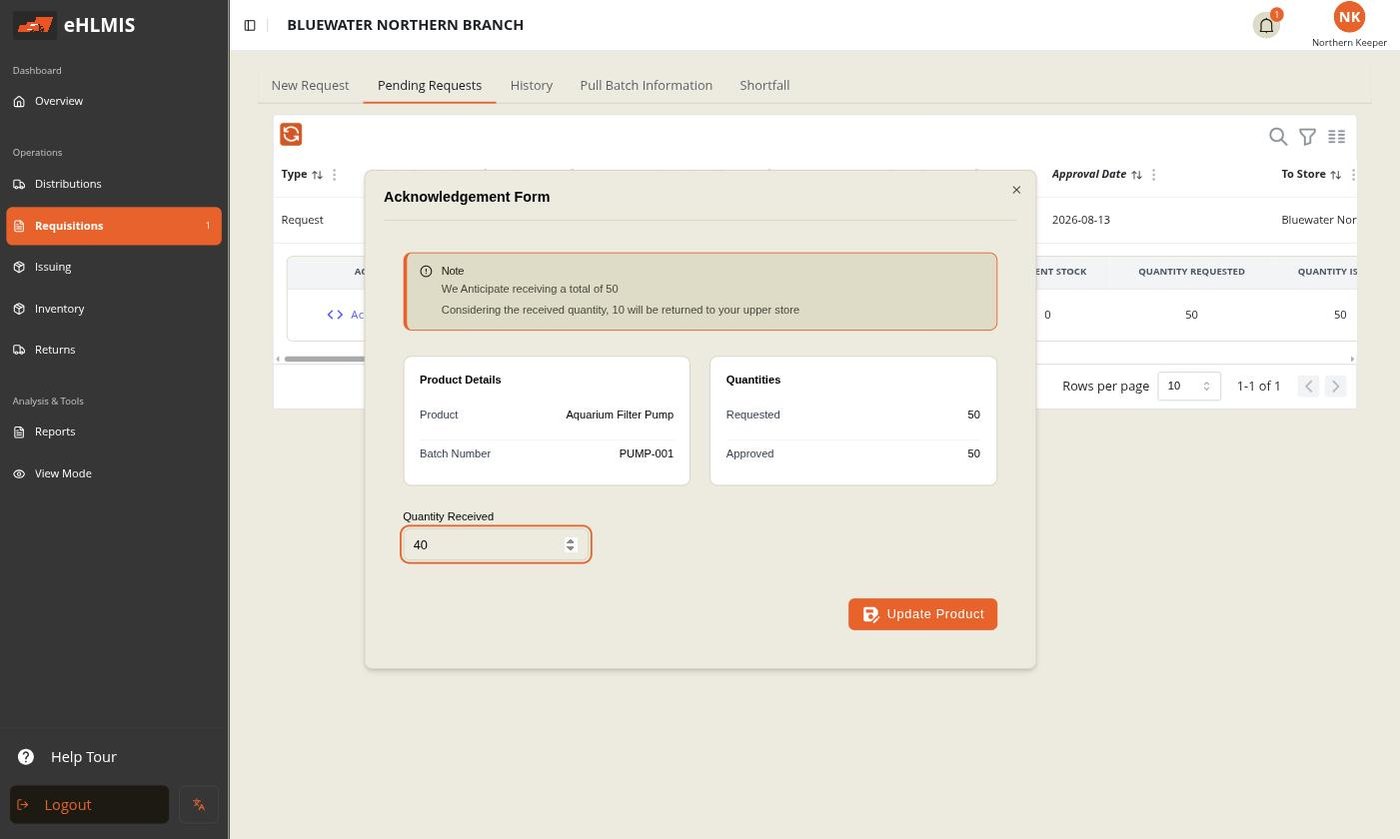
When you acknowledge an order on the Requisitions → Pending Requests tab, HLMIS compares the Quantity Received you enter against the Approved quantity for each line. If any line is short:
- It asks for a Shortfall Reason — a dropdown whose options are set for your deployment (for example damaged in transit, wrong quantity shipped, lost / missing).
- You can attach an optional proof photo.
- On confirming, the order moves to Pending Shortfall Approval rather than Complete, and the short quantity becomes a record the parent store must act on.
Tracking your shortfalls
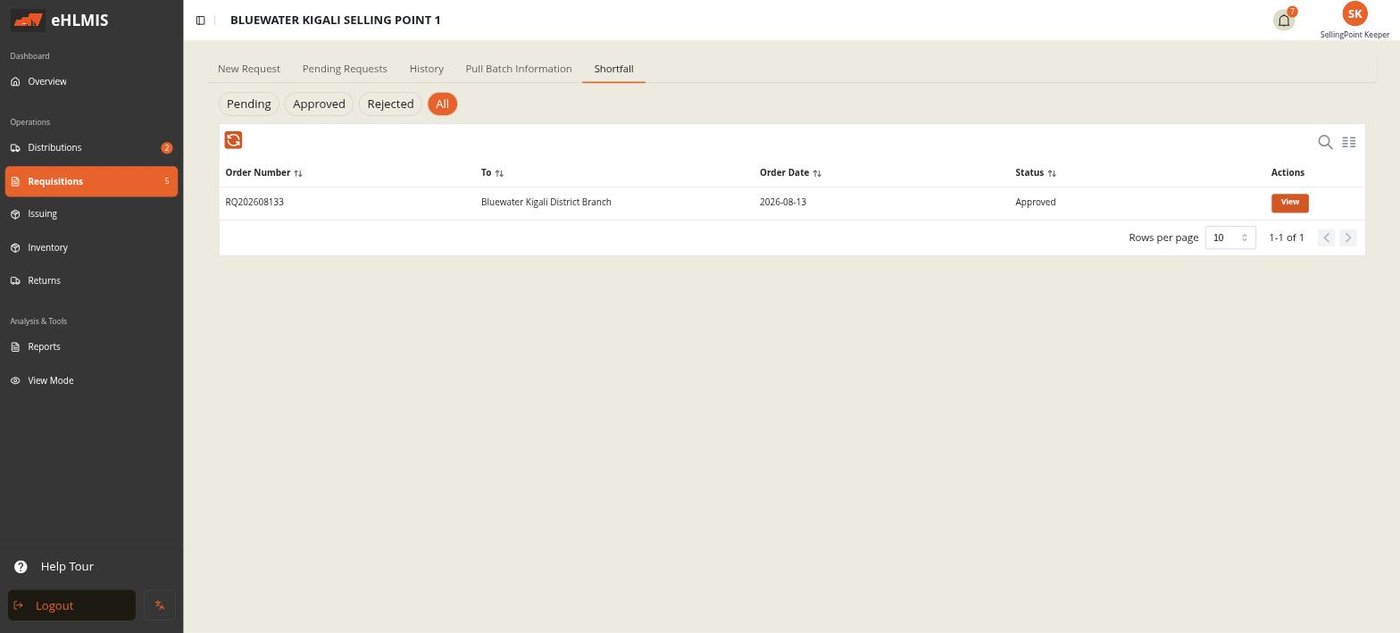
The Shortfall tab on the Requisitions screen lists every shortfall you have raised, filterable by Pending / Approved / Rejected / All. View shows the reason you gave, any note from the parent store, and the proof photo.
Resolving a shortfall (parent store)
Shortfalls raised against you appear on the Distributions → Shortfall Approvals tab, filterable by status. Click Review:
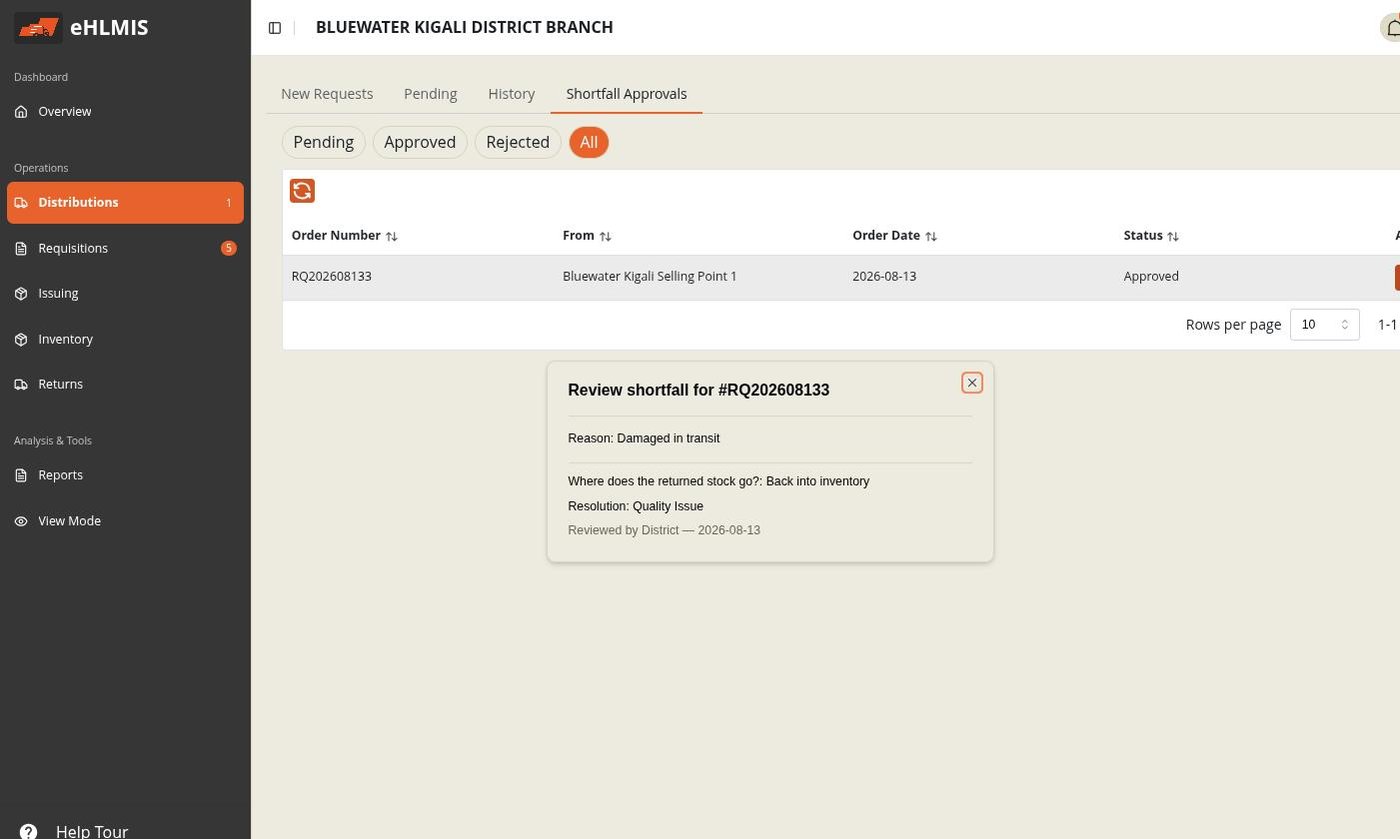
For a pending shortfall the dialog also shows the proof photo and Prior attempts (if the receiver has been sent back before), and offers Approve / Reject with the choices below. Once resolved it becomes read-only, as shown above.
Approve — and choose where the stock goes
| Destination | Effect | Also asks for |
|---|---|---|
| Back into inventory | The short quantity is credited back to your store's balance — treated as never having left | A returned reason |
| Write off as wastage | The short quantity is recorded as lost — no balance is credited anywhere | A wastage reason |
Add an optional review note and confirm. The order moves to Complete.
Reject
If you do not accept the shortfall (for example the count looks wrong), add a review note explaining why and Reject. It goes back to the receiving store, which can re-check and acknowledge again — each attempt is kept in the Prior attempts history.
How the return is recorded
You do not create a return for a shortfall by hand. HLMIS generates one automatically for the short amount, labelled "Automatic return — created because the quantity received was less than what was issued", and it is that record the Shortfall Approvals flow above resolves. Deliberately sending stock back that you do hold is a separate Return.