Settings and Integrations
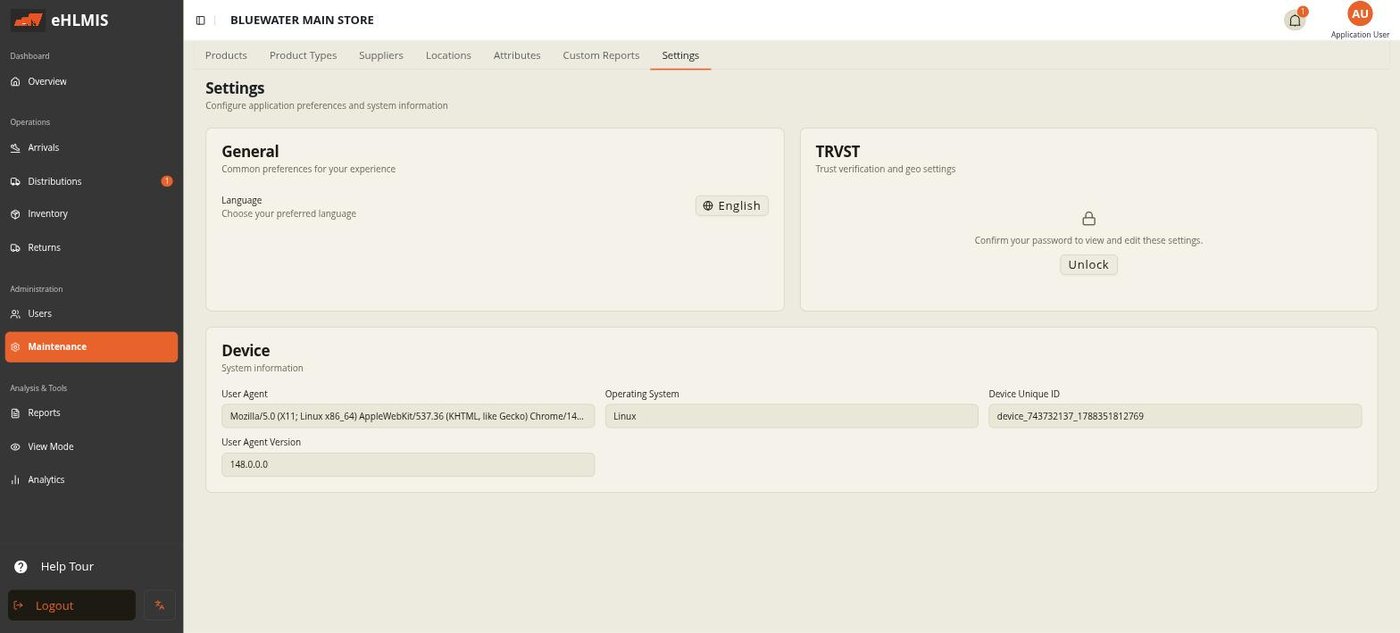
Maintenance → Settings holds the deployment-wide options an administrator can change while the system is running. It needs the Manage Config permission.
What you see here depends on the deployment: a standalone deployment shows only General, TRVST, and Device; a DHIS2-synced deployment also shows Synchronization, DHIS2, and Reporting.
Runtime settings vs. install settings
Everything on this screen is a runtime setting — change it here and it takes effect without redeploying. The values fixed at install time (the database connection, the app's own web address, the session secret, the initial deployment mode) are not on this screen; changing those means editing the server's environment and restarting it, which is an operations task.
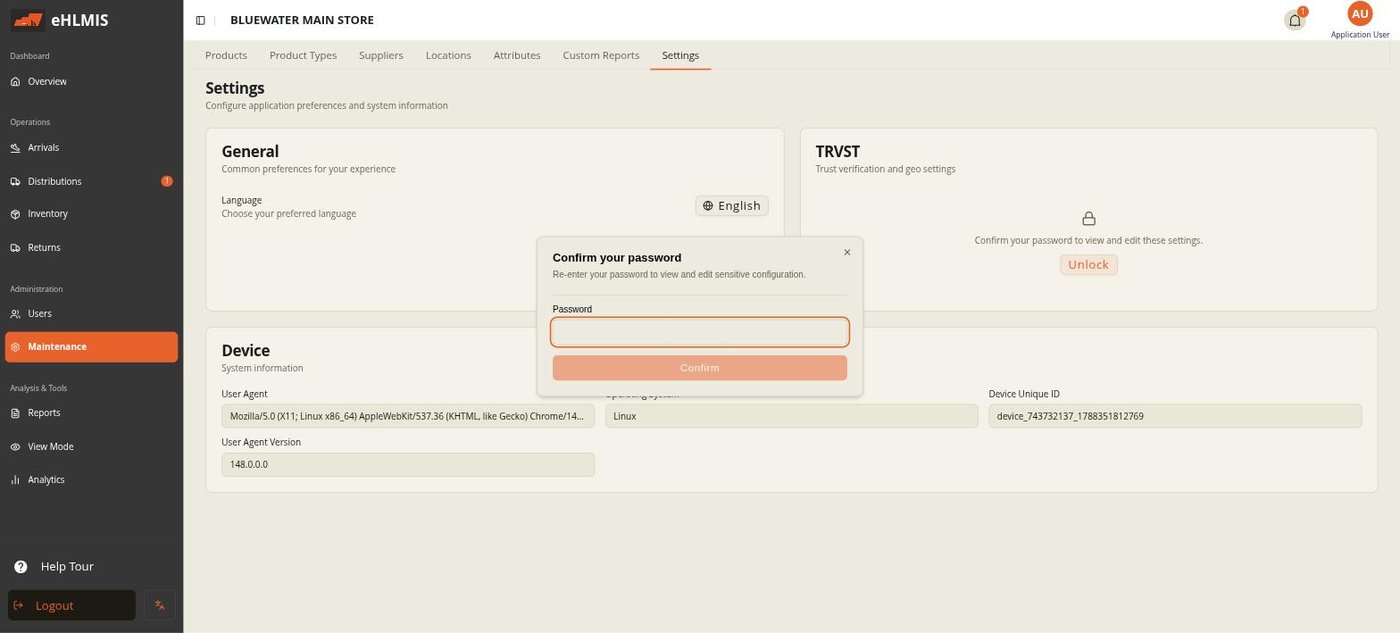
Sensitive sections are locked
The DHIS2 and TRVST configuration blocks start locked. To edit them, click unlock and re-enter your own password. This is a second check before someone changes an external connection; it lasts for the current visit.
General
- Language — your interface language (English, French, Arabic, Kinyarwanda). This is a per-user preference, not a deployment-wide one.
- Locations → Refresh from DHIS2 (DHIS2 deployments only) — pulls the latest org-unit hierarchy from DHIS2 immediately, and reports how many units were found, added, and skipped.
TRVST (batch verification)
TRVST is the external track-and-trace service HLMIS checks batches against during Arrivals.
- TRVST Verification — the on/off switch. Turning it on or off reloads the app so every screen picks up the change: with it on, the Arrivals screen gains barcode scanning, the Get Product Data verification button, and the Scan History and Zebra Scans tabs; with it off, those disappear.
- OAuth Token URL, API Base URL, Client ID, Client Secret, OAuth Scope, Country Code, TRVST Device ID Override — the connection details for the TRVST service, supplied by whoever runs it.
- Longitude / Latitude — read-only, detected from the browser; sent with verification requests.
DHIS2 deployments only
Synchronization
- Sync Duration (Cron) — a cron expression setting how often HLMIS pulls org units, products, and users from DHIS2.
- Last Sync Time — read-only, when the last sync ran.
DHIS2
The connection to your DHIS2 instance: DHIS2 URL (ending in /api),
Instance Username and Instance Password (a DHIS2 service account),
Top Org Unit (the root org-unit UID to sync from), and Is Production
(a safety flag for whether this points at a live DHIS2).
Reporting
- Reporting Target — DHIS2 pushes aggregated stock figures to DHIS2 on the sync schedule; None keeps reporting local only.
Device
Read-only system information about the browser you are using — user agent, operating system, device ID, version. Useful when reporting a problem.